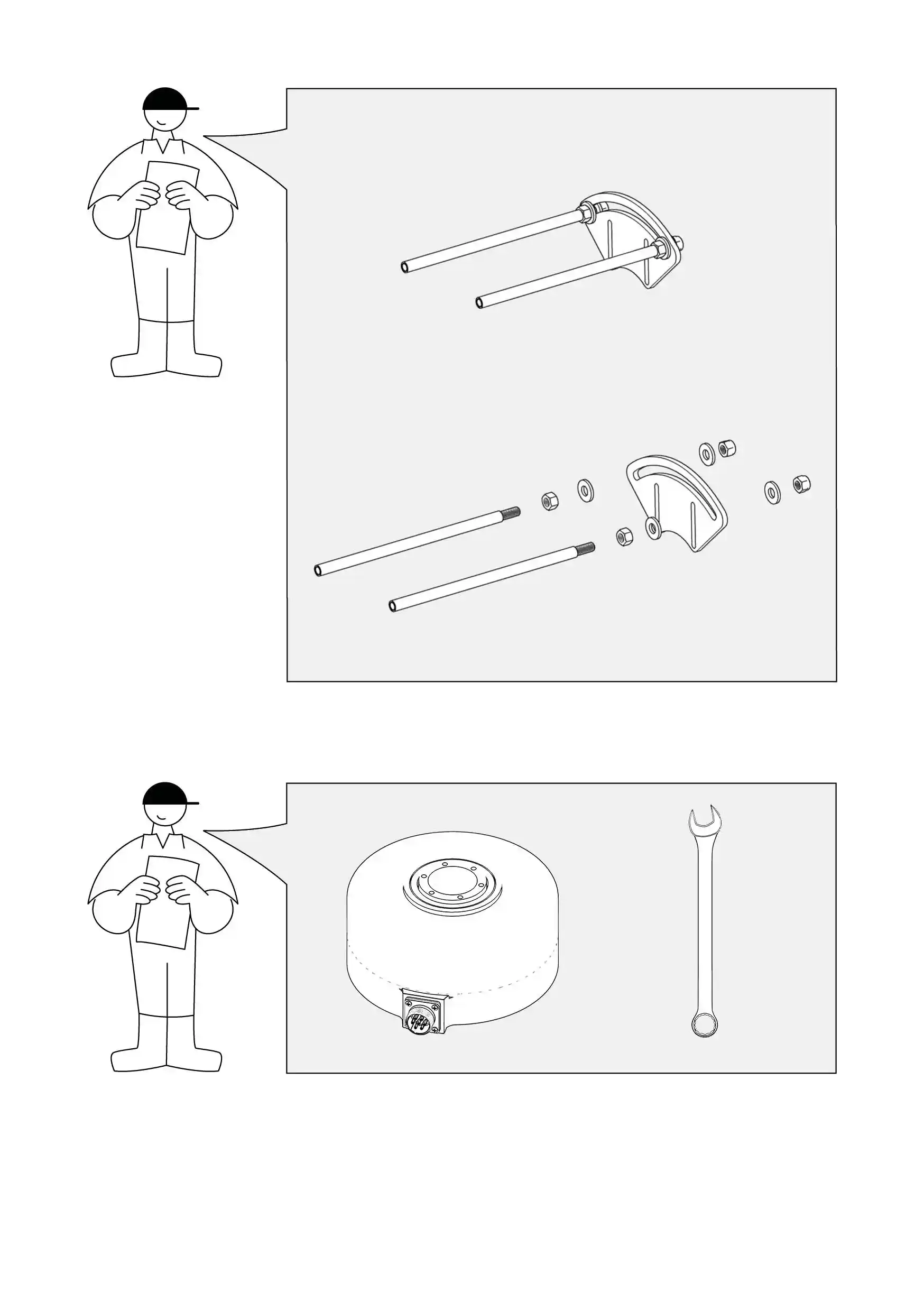
Anti-rotation bracket -02
How to mount it?
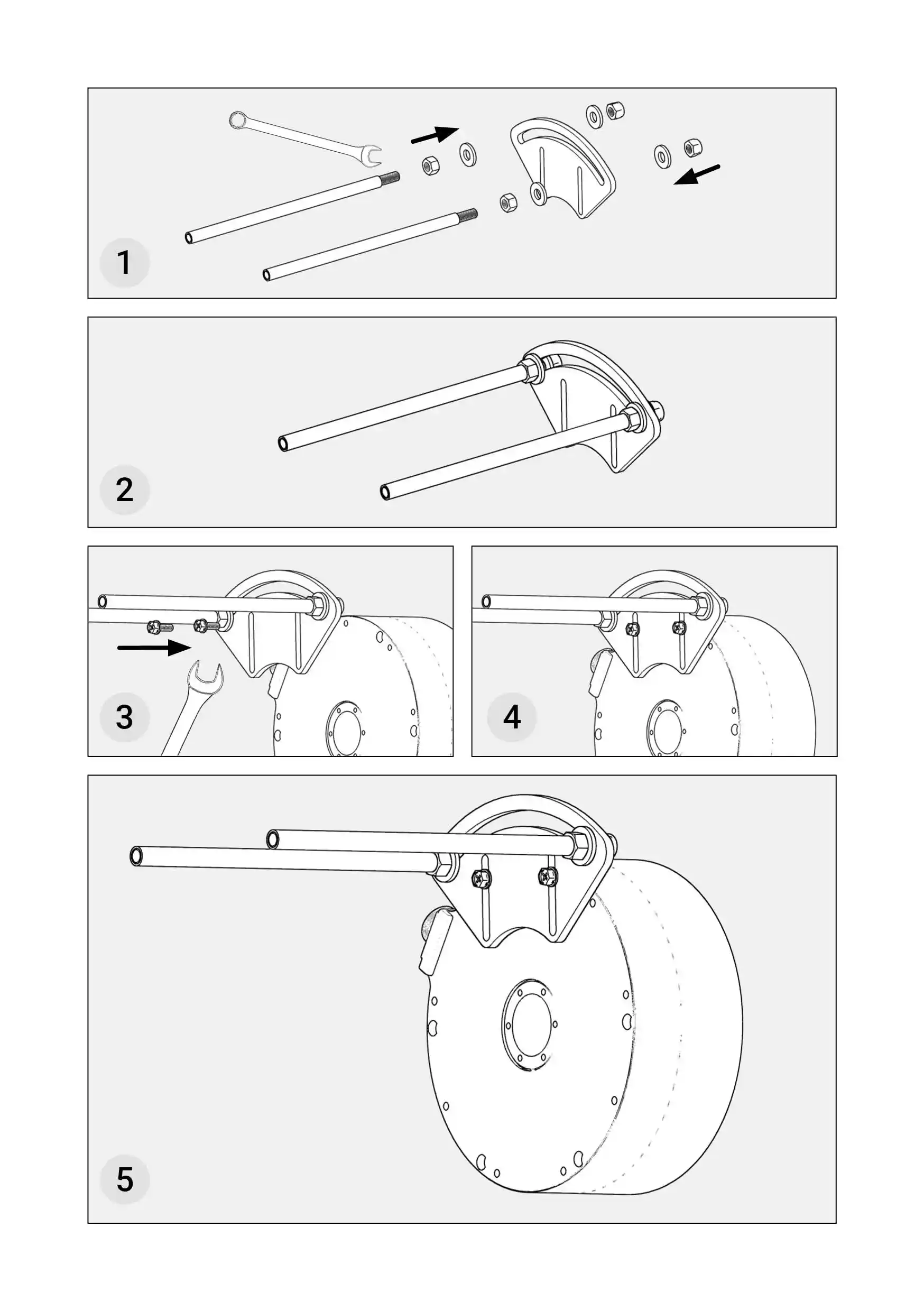
- Place the Motor on a flat surface.
- Turn the Motor around and place it on its head. You will recognize the bottom of the Motor by 6 hex screws located near the edge.
- Place the metal plate on the bottom of the Motor, ensuring that it is positioned opposite the power socket.
- Ensure that the channels of the metal plate are directly in line with the screw holes.
- Place 2 hex screws in the screw holes that are directly in line with the channels of the metal plate.
- Use the open wrench size 8 to screw the 2 hex screws firmly.
- Put the 4 plain washers on the 4 hex nuts.
- Put the 2 spring lock washers on 2 of the 4 hex nuts.
- Put the hex nut with the plain washer on the metal pin from the side without the thread.
- Ensure you first put on the plain washer and then the hex nut.
- Push the screw to the thread and screw it with 3-4 turns.
- Take the metal pin and insert the end with the thread into the round channel at the edge of the metal plate and move it to the far end of the channel.
- Take a hex nut with a plain washer and the spring lock washer and put it on the metal pin on the end with the thread.
- Ensure you first put on the spring lock washer, then the plain washer, and finally the hex nut.
- Use the open-end wrench size 13 to screw the hex nut firmly to the metal plate.
- Repeat the above steps for the other metal pin that is to be put on the opposite side of the channel on the edge of the metal plate.
|
|