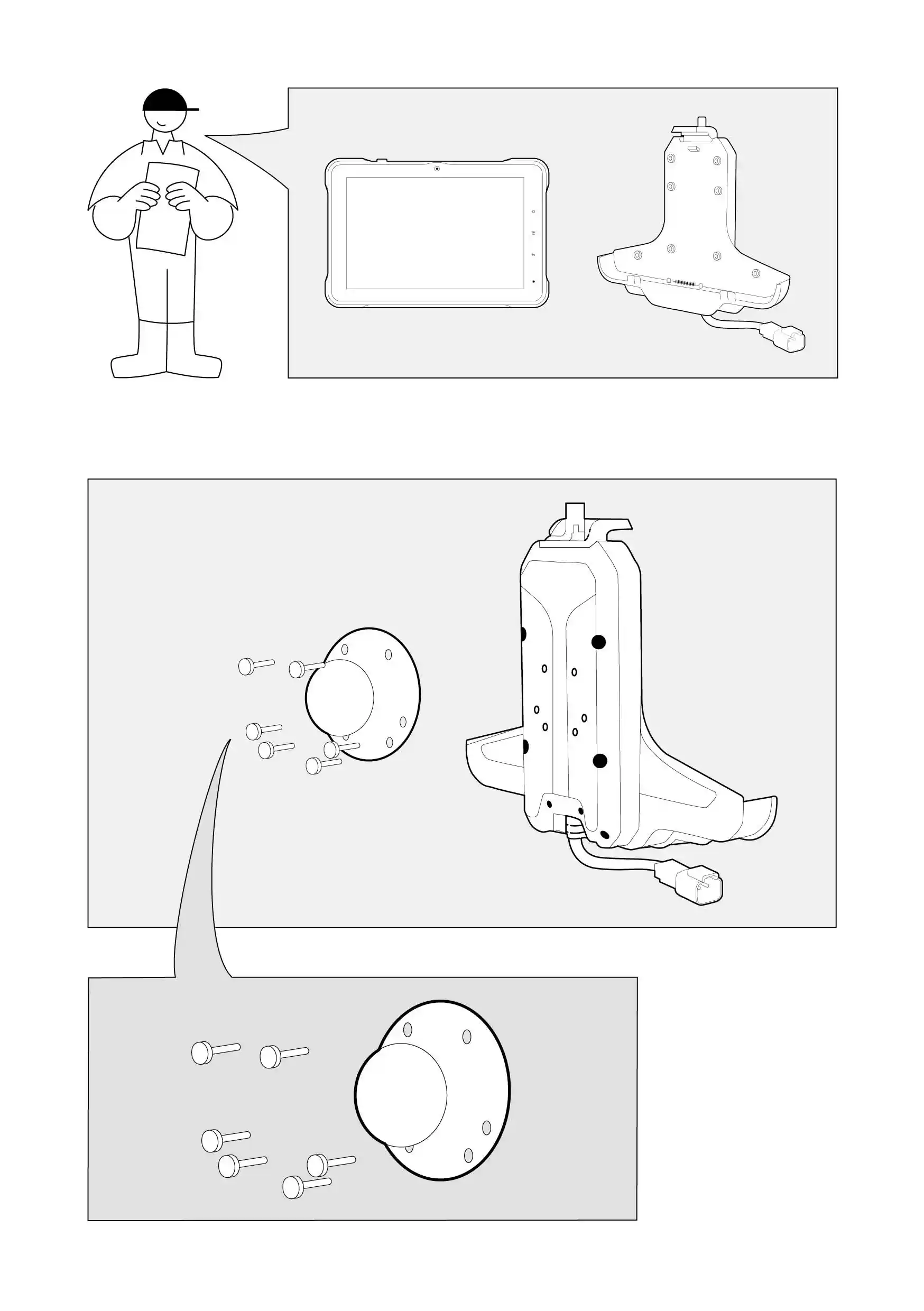
InNella the packageconfezione
RequiredArticoli itemsnecessari
SocketChiave wrencha bussola
HowCome to do it?fare?
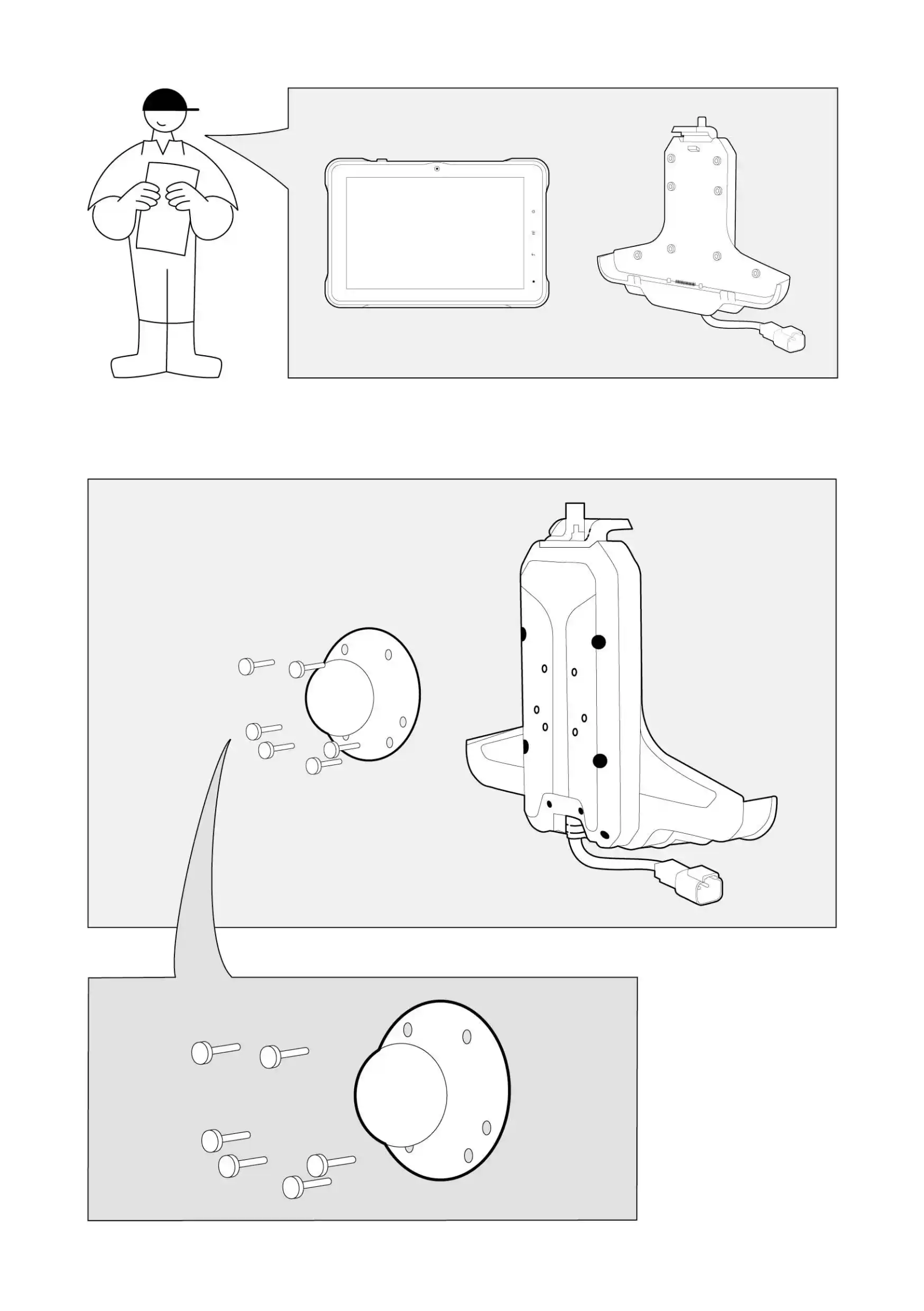
PlacePosizionare theil supporto della tavoletta su una superficie piana con il retro rivolto verso l'alto. Il retro è riconoscibile dai 4 fori per le viti situati nella parte centrale del supporto.- Posizionare la sfera dell'impugnatura sul retro del supporto per tablet
holdernello onspazio in cui si trovano i fori per le viti.
- Assicurarsi che i fori delle viti della sfera dell'impugnatura siano direttamente allineati con i fori delle viti del supporto per tablet.
- Inserire le 4 viti a
flatmacchina surfacenei withfori.
its- Posizionare
backdelicatamente facingla upwards. You can recognise the back by 4 screw holes locatedtavoletta in theverticale centrale partcollocare ofi the holder.
Place the handle ball on the Tablet Holder’s back in the space with the screw holes.
Make sure that the screw holes of the handle ball are directly in line with the screw holes of the Tablet Holder.
Place the 4 machine screws in the screw holes.
Delicately position the Tablet vertically and place thedadi nylock nutssulle onviti thea machine screws.macchina.-
UseUtilizzare thela socketchiave wrencha tobussola screwper theavvitare screwssaldamente tightly.le viti.
InstallationL'installazione ofdel switchpulsante buttondi done:commutazione è terminata:
-
AttachFissare thela platepiastra toal the holder.supporto.
-
InsertInserire thele screwsviti intonei thefori designated holes.previsti.
-
UsingCon aun screwdriver,cacciavite, tightenserrare thele screws,viti, butma dosenza notstringerle overtightentroppo toper avoidnon damagingdanneggiare thela plasticbase base.in plastica.
|
YouÈ canpossibile horizontallyscorrere scrollorizzontalmente theil tabletavolo onsul mobile.cellulare.
|