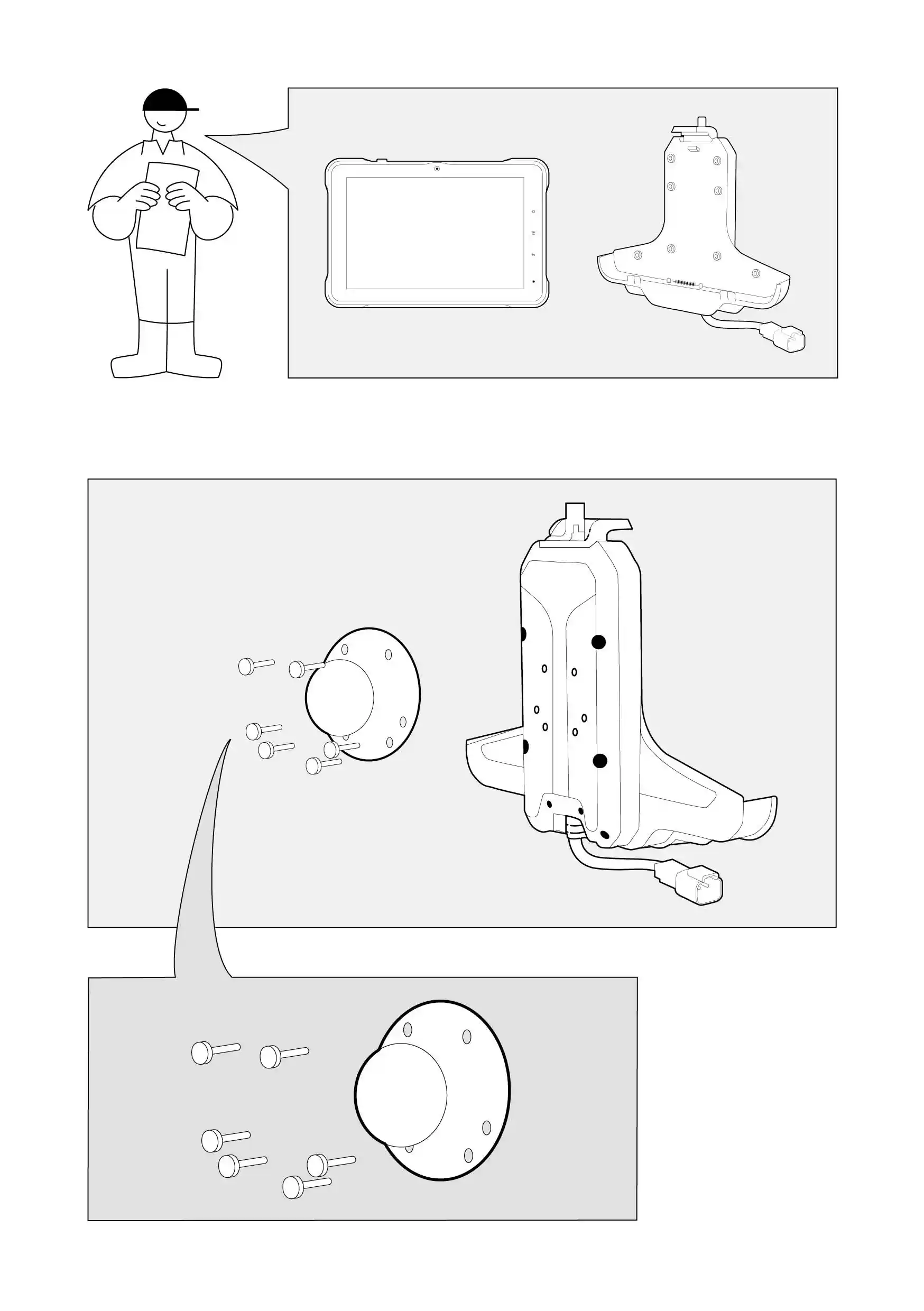
In the package
-
Tablet Holder
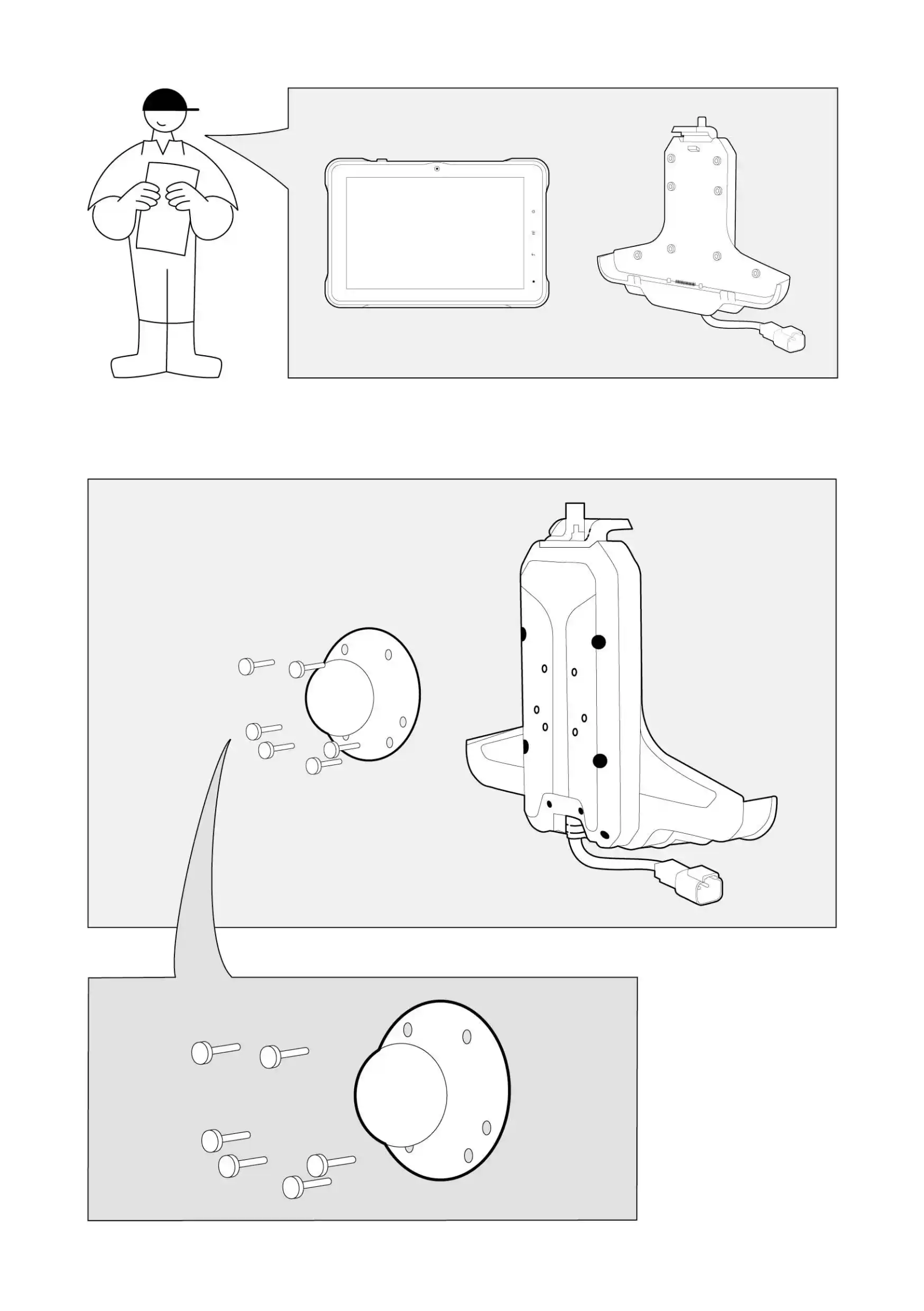
- Handle ball
- 4 machine screws
- 4 nylock nuts
Required items
How to do it?
- Place the tablet holder on a flat surface with its back facing upwards. You can recognise the back by 4 screw holes located in the central part of the holder.
- Place the handle ball on the Tablet Holder’s back in the space with the screw holes.
- Make sure that the screw holes of the handle ball are directly in line with the screw holes of the Tablet Holder.
- Place the 4 machine screws in the screw holes.
- Delicately position the Tablet vertically and place the nylock nuts on the machine screws.
-
Use the socket wrench to screw the screws tightly.
Installation of switch button done:
-
Attach the plate to the holder.
-
Insert the screws into the designated holes.
-
Using a screwdriver, tighten the screws, but do not overtighten to avoid damaging the plastic base.
|
You can horizontally scroll the table on mobile.
|