|
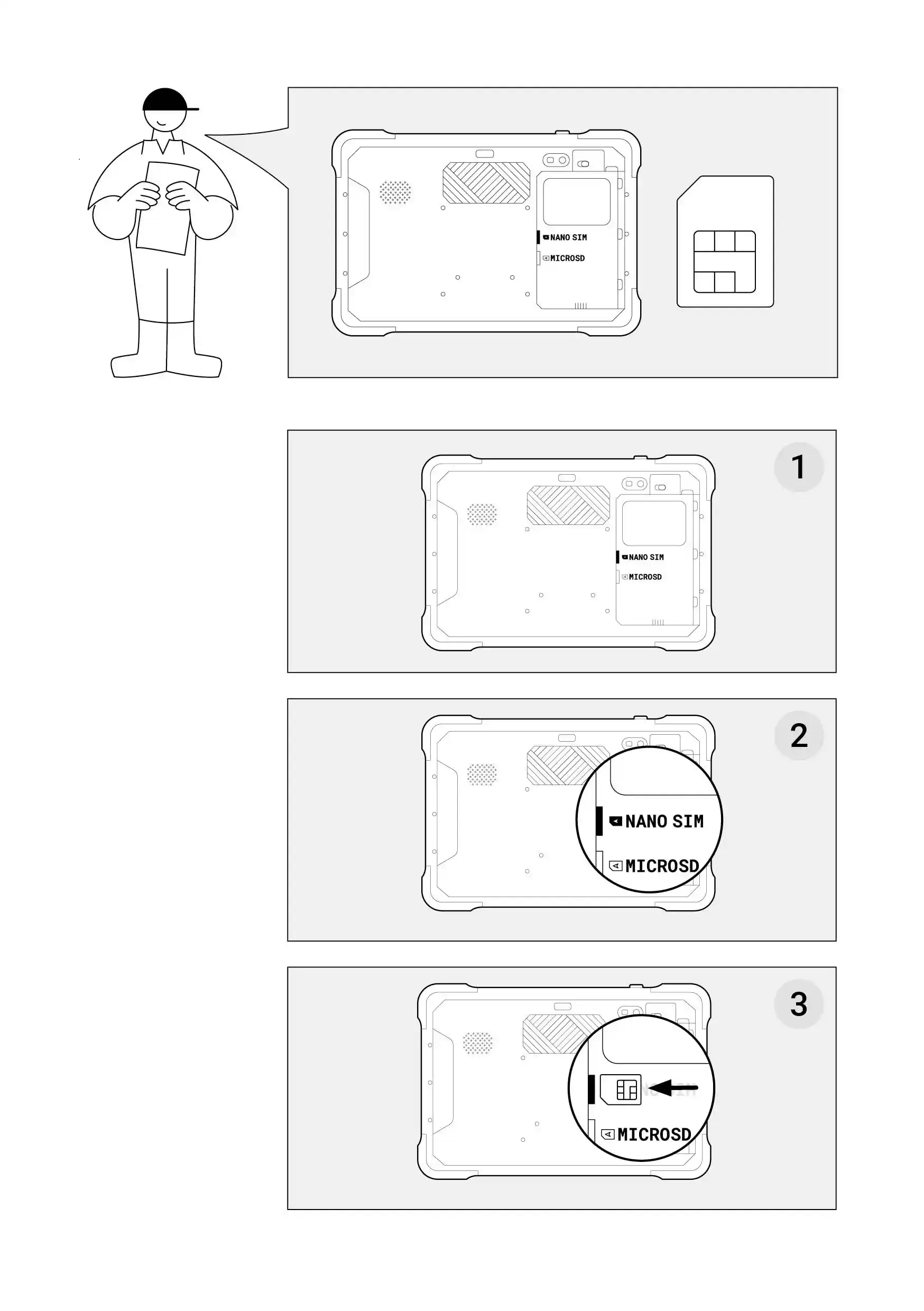
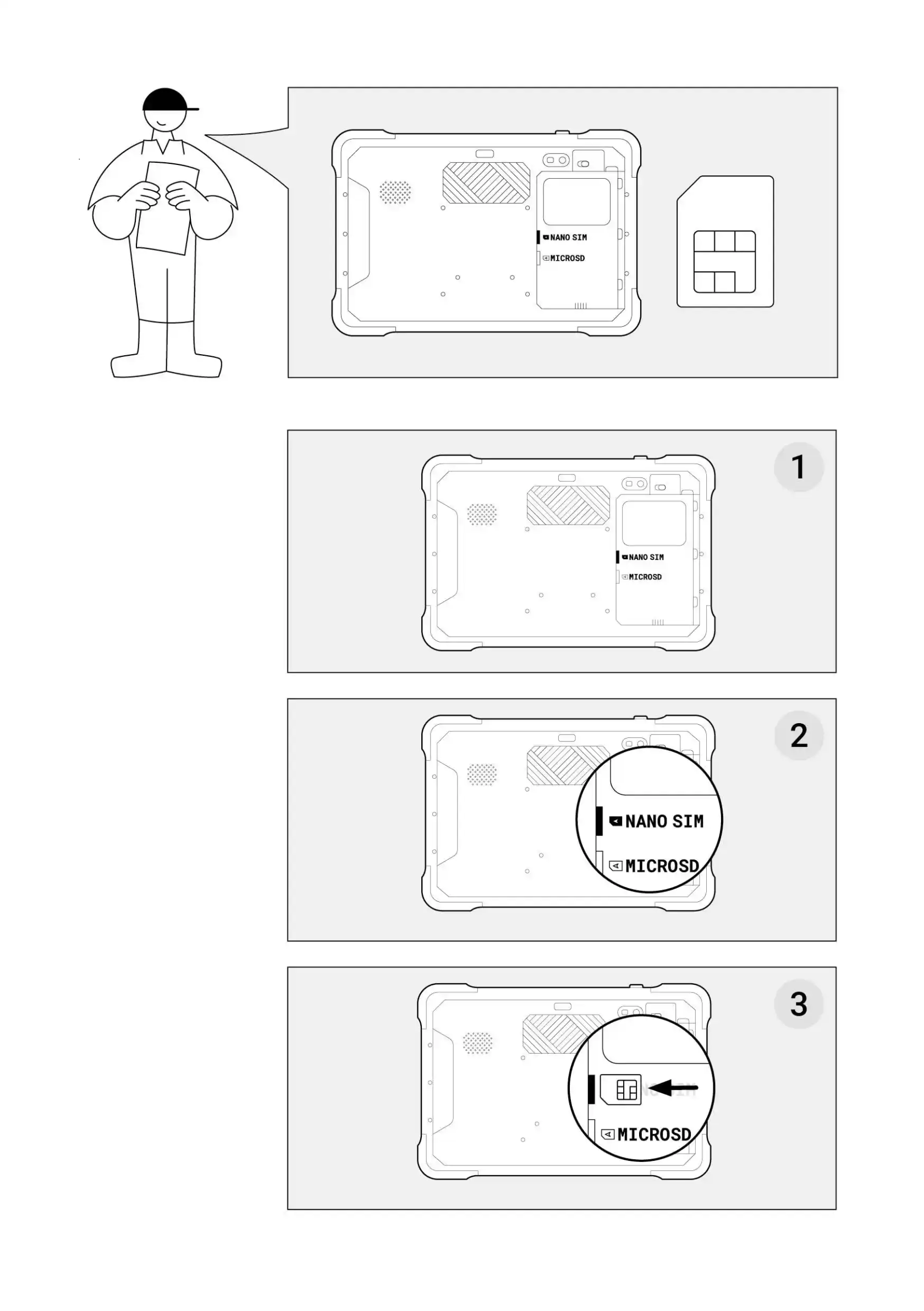
ForAffinché theil tablet topossa startfunzionare operatingcorrettamente, correctly,è younecessario needinserire touna insertscheda SIM con una connessione attiva a SIMInternet. cardSi withtratta andi activeuna connection to the internet. You will ascheda nano SIM card.SIM.
HowCome to do it?fare?
TurnGirare theil PowerTablet aroundper toavere haveun easyfacile accesso al retro
access to its back..LocateIndividuare theil switcherselettore nell'angolo in thealto topa rightdestra. corner.Si Youtratta candi noticeun itpiccolo riquadro rettangolare con due icone a forma di lucchetto: un lucchetto aperto e un lucchetto chiuso.- Far scorrere il commutatore dal lucchetto chiuso al lucchetto aperto.
- Spingere la scatola rettangolare e spostarla leggermente verso l'alto per liberare la batteria.
- Rimuovere la batteria afferrandola saldamente con la punta delle dita.
- Inserire la scheda SIM nella presa situata sul lato sinistro dello spazio in
acui smallè rectangularstata boxcollocata withla two padlock icons - an open padlock and a closed padlock.batteria.
SlideL'angolo thetronco switcherdeve fromtrovarsi thealla closedvostra padlocksinistra. toDovrebbe theessere openvisibile padlock.Pushsuperficie thedella rectangularscheda, boxmentre and move it slightly to the top to release the battery.
Remove the battery by grabbing it firmly with your fingertips.
Insert the SIM card into the socket located on the left side of the space where the battery was placed.
The truncated corner should be on your left. You should see the surface of the card whilst theil microchip shouldnon notdovrebbe beessere visible.visibile.-
EnsureAssicurarsi theche la scheda sim cardsia isinserita placedsaldamente firmly in thenel so-cket.
|
YouÈ canpossibile horizontallyscorrere scrollorizzontalmente thela tabletabella onsul mobile.cellulare.
|