Shift guidance lines
Shift guidance lines
If you want to use previously created guidance lines for other operations or if for some reason you need to move your base line and all based on it guidance lines you can do it by shifting the guidelines relative to the field.
 |
 |
To shift lines, follow the next steps:
- During navigation stop the vehicle and tap PAUSE button;
- Tap
button to open Shift lines menu.
- Shift lines using the one of two available ways:
|
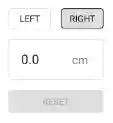
Select shift side and shift value.
|
Sift lines to your current position |

-
Tap
button to apply guidelines shift if you are satisfied with the result.